Core Settings
These are fundamental configurations that govern the overarching functionality of Venddor IO. They are foundational and independent, meaning they operate uninfluenced by any modules you might incorporate into your setup.
Venddor IO integrates a comprehensive settings mechanism which can be broadly classified into two categories:
These are fundamental configurations that govern the overarching functionality of Venddor IO. They are foundational and independent, meaning they operate uninfluenced by any modules you might incorporate into your setup.
As the name suggests, these configurations relate specifically to individual modules installed within Venddor IO. They control and fine-tune the behavior and features of their respective modules.
Both these configurations are seamlessly managed through two central classes: the Registry and Settings classes. The data associated with these configurations is systematically stored in the platform's database, particularly in tables prefixed with settings_.
For administrators, Venddor IO's intuitive administration panel offers an efficient interface to interact with and modify both the core and module-specific settings. This ensures that tailoring the platform's behavior to specific business needs is both straightforward and efficient.
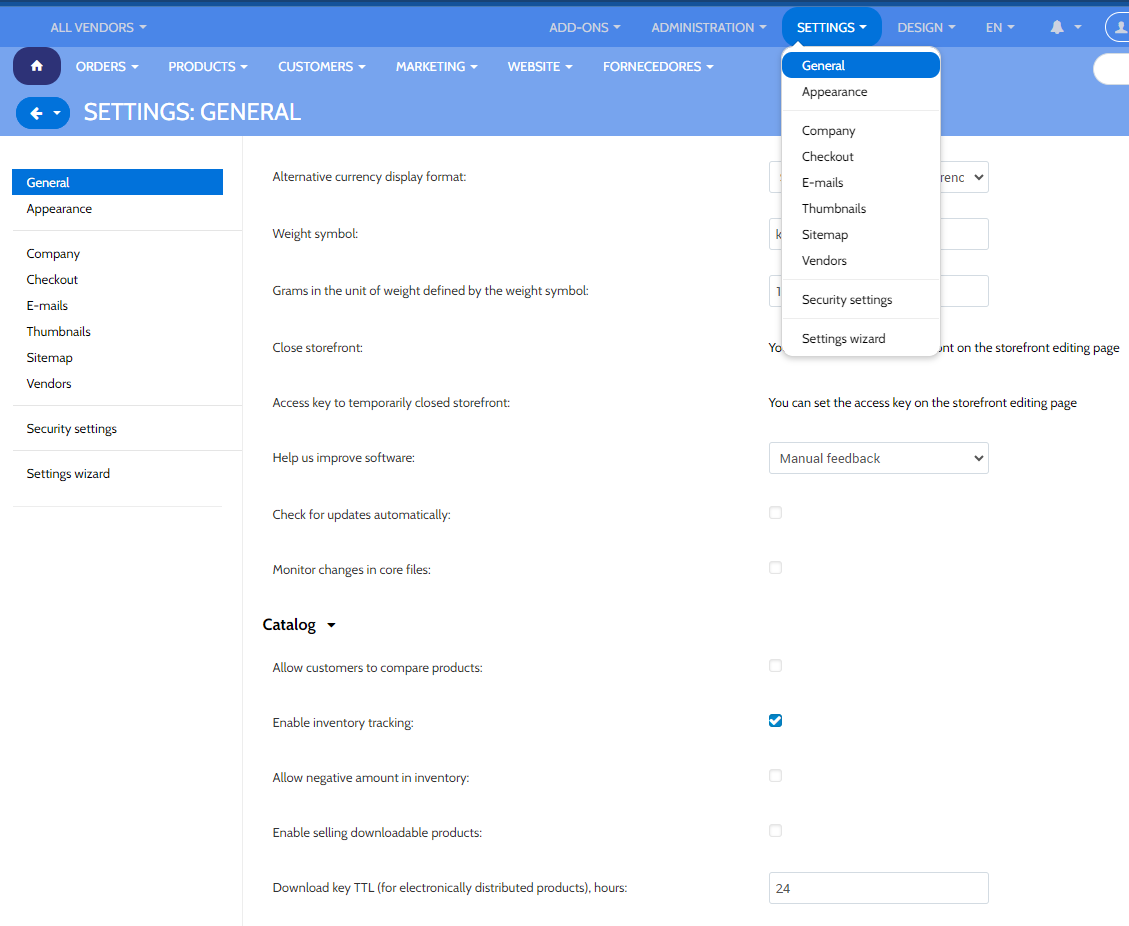
The core settings, fundamental to Venddor IO's operation, can be located in the Administration panel under the 'Settings' page (visible in the main navigation bar). These configurations are grouped into various sections:
If you're using Venddor Seller Center, you'll notice these configurations in a distinct layout. The display of each setting or configuration segment is influenced by its 'edition_type'. Additionally, a setting can have varied values depending on the specific storefront or vendor. Generally, each core setting should be part of a particular segment. If it doesn't, it remains concealed.
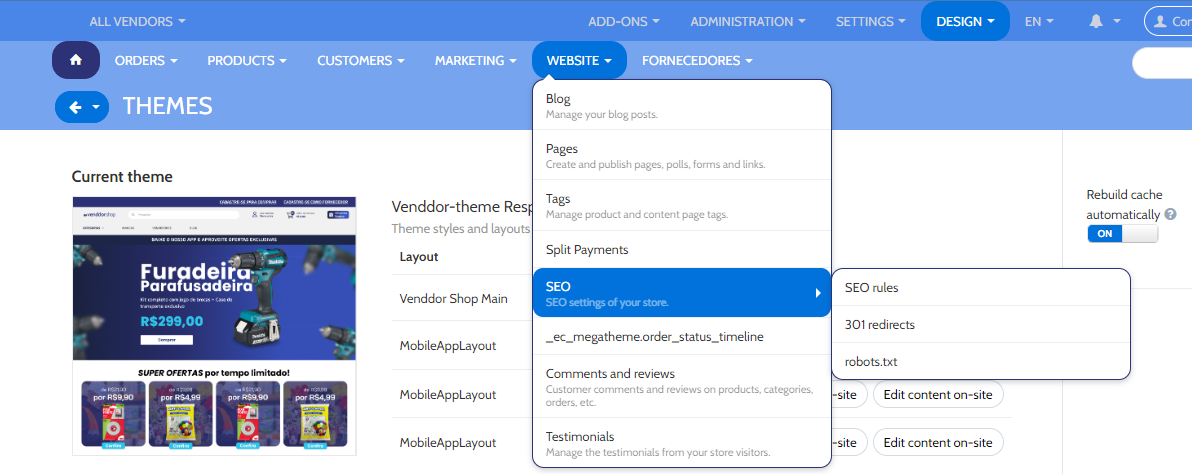
For illustration, in scenarios with numerous storefronts, the 'Alternative currency display format' (with an edition_type set as "ROOT,STOREFRONT") will manifest in a specific manner.
Settings related to specific modules can be managed via 'Add-ons' and then 'Manage add-ons' from the top navigation in the Administration panel. The majority of these add-ons come with their individual configuration settings. There are primarily two methods to access an add-on's settings:
To exemplify, consider the settings available under the 'SEO' add-on.
In Venddor IO, settings are also manipulated programmatically via the 'Registry' and 'Settings' classes. These classes proffer functions that allow the addition, modification, and retrieval of setting values.
The 'Registry' class is pivotal for obtaining settings across the application. This class is also responsible for caching these settings (typically seen in the var/cache/registry directory).
Manipulating settings using the 'Registry' class looks something like this:
Registry::get('settings.SECTION_NAME.SETTING_NAME');Registry::get('addons.ADDON_NAME.SETTING_NAME');Registry::set('settings.SECTION_NAME.SETTING_NAME', 'Desired value');Registry::set('addons.ADDON_NAME.SETTING_NAME', 'Desired value');The Configuration class within Venddor IO offers an expanded set of tools tailored for handling settings stored in the system's database. With an array of functions, it assists in operations like verifying the presence of settings, reading, updating, and deleting the values of these configurations.
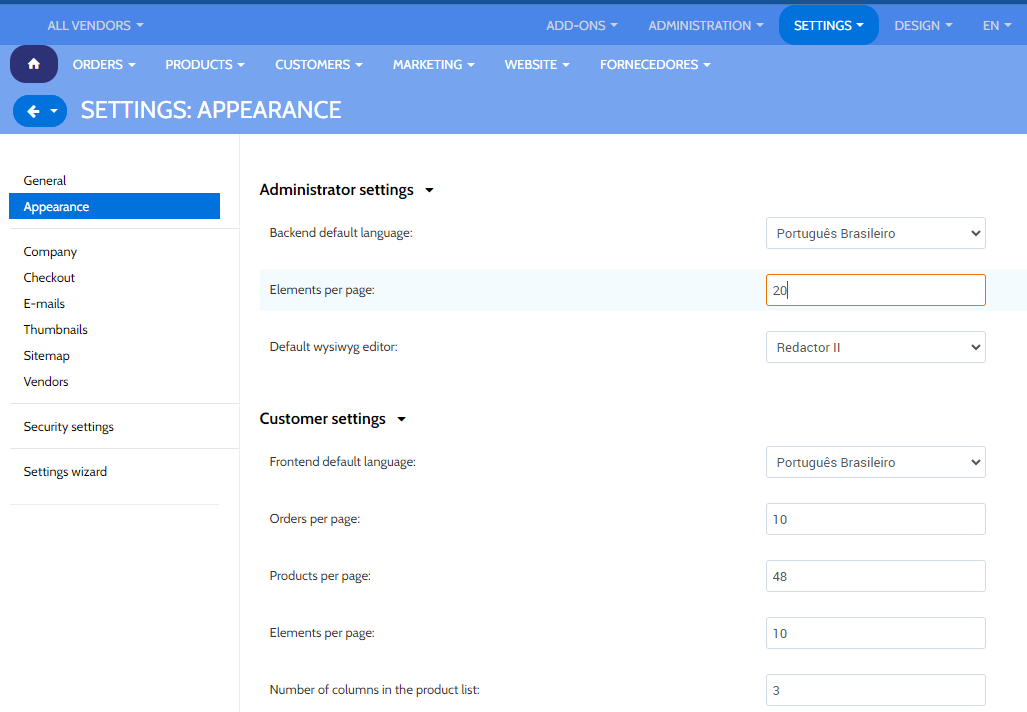
For instance, if you're keen on working with the 'elements_per_page' setting (found under Settings → Appearance), the Configuration class can be utilized as follows:
Configuration::instance()->isExists('elements_per_page', 'Appearance');Configuration::instance()->getValue('elements_per_page', 'Appearance');Configuration::instance()->updateValue('elements_per_page', $new_value, 'Appearance');It's pivotal to recognize that settings might possess values specific to certain storefronts or companies. While at times, the storefront or company might be detected automatically, it's usually prudent to define them explicitly:
$config_manager = Configuration::instance(['storefront_id' => 4, 'company_id' => 17]);
$config_manager->getValue('elements_per_page', 'Appearance');
Notably, when using Venddor Seller Center, this is the sole approach to retrieve vendor-centric configurations.
Each module's configurations are outlined in its respective 'addon.xml' file, found within the module's directory. These settings are incorporated under the <settings> tag of 'addon.xml'.
Attributes linked with the <settings> section include:
While both attributes are discretionary, an example usage could be:
<settings layout="separate" edition_type="ROOT">This implies that configurations will be exhibited on an independent page, primarily available in the All stores/All vendors mode of Venddor IO.
Variants for settings in Venddor IO can be dynamically crafted and modified using two key function types: variants.functions and actions.functions.
All critical data about core and module configurations resides in the database, primarily within tables prefixed by settings_.
In Venddor IO, the nature of a setting is conveyed through the <type> tag in the addon.xml file. Here's an overview of possible types:
Understanding these types offers an integrated understanding of how Venddor IO manages and presents configurations, ensuring flexibility and user-friendliness across different settings.